Networking
Home Wi-Fi Basics: Routers, Mesh, Ethernet, and Why Wi-Fi Acts Weird
By Matthew Roupp · Updated · 9 min read
A practical guide to how home Wi-Fi works, why speed tests do not always tell the full story, and how to make a home network feel more reliable.
Wi-Fi and internet are related, but they are not the same thing
A common mistake is saying the internet is bad when the real problem is the Wi-Fi signal inside the house. Your internet service comes from the provider into a modem or gateway. Your router then shares that connection with your devices. Wi-Fi is the wireless signal from the router or mesh system to phones, laptops, TVs, consoles, smart devices, and other equipment.
That means a speed problem can happen in more than one place. The provider connection could be slow, the router could be overloaded, the Wi-Fi signal could be weak, or one device could simply be too old to keep up. Good troubleshooting starts by separating those possibilities instead of guessing.
What the router actually does
A router directs traffic between your home network and the internet. It also usually handles Wi-Fi, local IP addresses, firewall features, and device management. In many homes, the modem and router are combined into one box from the internet provider. That can work fine, but provider gateways are not always the best for coverage, features, or long-term control.
If your Wi-Fi feels inconsistent, the router should be one of the first things checked. Age, firmware updates, placement, overheating, and too many connected devices can all affect the experience. A router hidden in a cabinet, placed behind a TV, or sitting in a basement corner has to fight the house before the signal ever reaches your device.
Why Ethernet is still worth using
Ethernet uses a physical cable instead of radio waves. That usually means lower latency, fewer random drops, and more consistent speed. For gaming, video calls, desktop computers, network storage, cameras, smart TVs, and mesh nodes, Ethernet is often the cleanest fix.
Ethernet does not make your internet plan faster, but it can help your device use the speed you already pay for more reliably. If a desktop gets 900 Mbps on Ethernet but only 180 Mbps on Wi-Fi from the same location, the internet plan is probably not the problem. The wireless path is.
What mesh Wi-Fi fixes, and what it does not fix
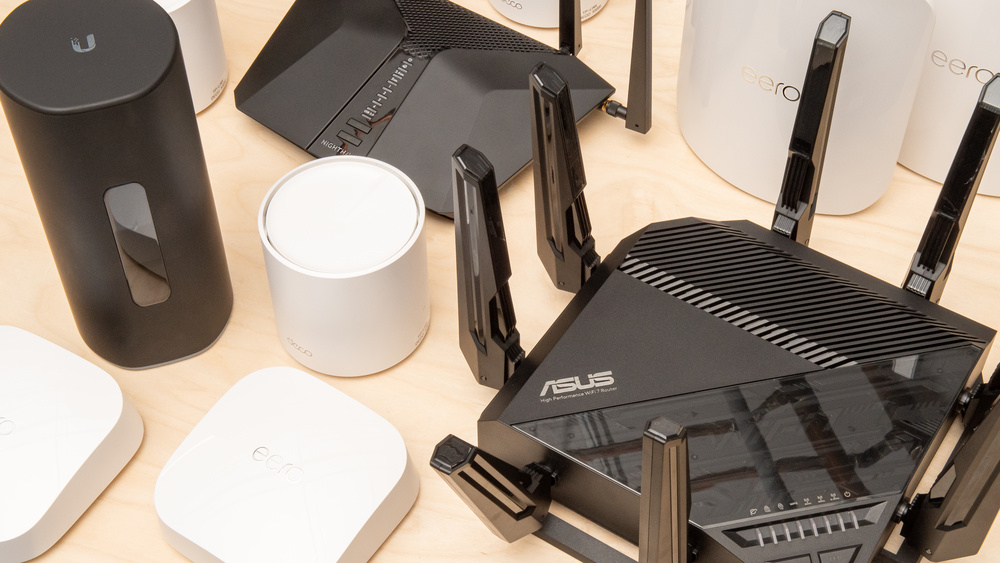
A mesh system uses multiple access points to spread Wi-Fi through the home. This helps when one router cannot cover the whole building. Mesh is especially useful in larger homes, older homes with thick walls, finished basements, garages, and multi-floor layouts.
The catch is that mesh nodes still need a good signal to each other. If a mesh node is placed in a dead zone, it may repeat a weak signal instead of solving the weak signal. A better approach is to place the node halfway between the strong signal area and the weak area. For the best results, use Ethernet backhaul when possible so the mesh nodes do not have to talk wirelessly to each other.
A simple troubleshooting order
Start with the basic path: internet service, modem, router, Wi-Fi signal, then device. Test one wired device directly from the router if possible. Then test Wi-Fi close to the router. Then test farther away. This shows whether the issue is the provider connection, the router, the wireless coverage, or one device.
Also check for patterns. If every device struggles, look at the router or provider. If only one room struggles, look at placement or coverage. If only one laptop struggles, check that laptop before replacing networking equipment. Good troubleshooting is less about fancy tools and more about narrowing the problem one step at a time.
Quick Wi-Fi improvement checklist
- Move the router or main mesh unit into a more open, central location.
- Use Ethernet for devices that need stability more than mobility.
- Restart the modem and router if the whole network is acting strange.
- Update router firmware when updates are available.
- Avoid putting mesh nodes too far from the main unit.
- Rename old unused devices in the router app so the device list is easier to understand.