Security
Password Managers and MFA: A Simple Guide to Safer Accounts
By Matthew Roupp · Updated · 10 min read
A practical guide to strong passwords, password reuse, multi-factor authentication, authenticator apps, and safer account habits.
The biggest password problem is reuse
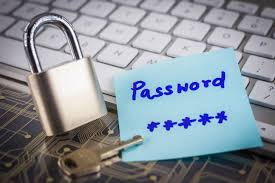
Most people do not get hacked because someone guessed one perfect password in a movie-style cyber battle. A more common problem is password reuse. If the same password is used on several websites, one breached website can put the other accounts at risk too.
That is why unique passwords matter. Your email password should not match your shopping password, bank password, game account password, or school password. Email is especially important because it often controls password resets for other accounts.
Long passwords are easier to use than weird passwords
Old password advice often focused on complicated rules: uppercase letters, lowercase letters, numbers, symbols, and frequent forced changes. Current guidance puts more emphasis on length, uniqueness, and checking against known compromised passwords.
A longer passphrase can be easier to remember and harder to guess than a short password with symbol swaps. For example, a phrase-style password can be more usable than something tiny and chaotic. The key is that it should be unique and not based on obvious personal information.
What a password manager does
A password manager stores your passwords in an encrypted vault. You remember one strong master password, and the manager helps create unique passwords for each account. This makes it much easier to stop reusing passwords everywhere.
A password manager can also help spot fake login pages. If the manager does not offer to fill a password on a page that looks like your bank or email provider, pause and check the address carefully. That small friction can prevent a phishing mistake.
Why MFA matters
Multi-factor authentication, often called MFA or 2FA, requires another proof besides the password. That proof might be a code from an authenticator app, a hardware security key, a passkey, or a prompt on a trusted device.
MFA is not magic, but it helps. If someone steals a password, they still may not be able to sign in without the second factor. For important accounts, MFA should be turned on wherever possible.
Where to start first
Start with the accounts that would hurt the most if they were stolen: email, banking, school, work, phone provider, cloud storage, password manager, and social media. Give each one a unique password and turn on MFA. Once the high-risk accounts are handled, work through the rest over time.
Account security starter checklist
- Use a unique password for every important account.
- Turn on MFA for email, banking, school, work, and cloud storage.
- Use an authenticator app or passkey when available.
- Avoid SMS codes when stronger options are available, but SMS is still better than no MFA.
- Store recovery codes somewhere safe.
- Change reused passwords first.